Review Comments (5) Screenshots (8) Questions & Answers (1) Votes (62) Awards (22) Wiki  
(62)
XemiComputers
7.96
This link has been deleted, because the target site may harm your computer.
Shareware
$29.90
3 556 people
Download Active Desktop...

5.5 MBDownloaded 11819 times

 
McAfee SiteAdvisor warning
McAfee SiteAdvisor web reputation analysis found potential suspicious behavior on the developer's website, which may pose a security risk. Proceed with caution. Click here to see McAfee SiteAdvisor report.

Review

This is official description

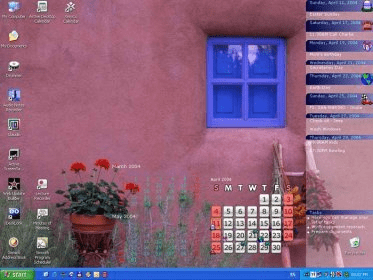
Active Desktop Calendar shows a calendar in the desktop background. We can also add notes, tasks, alarms, and contacts. The icons, fonts, colors, etc. can be customized. The program includes calendars with holidays. Monitor systems are supported. The calendar can be synchronized with Outlook and Google.
 
The following review written by one of the Software Informer contributors applies to version 7.7

Active Desktop Calendar is a good looking and functional interactive calendar which is visible on the desktop over the wallpaper. A calendar may include your notes and the tasks that you planned. Also there are reminders for your events. A calendar can be viewed in a traditional way or as an icon. There is an interesting possibility of creation of layers for different events and connecting multiple computers to the general file. A big issue of many organizers with all the imposing functionality is the lack of usability. Active Desktop Calendar's developers managed to combine a powerful organizer and wallpaper changing utility so the calendar is always seen, but is not irritating. In the center of the desktop, ADC creates an interactive calendar for the last, present and next months, and in the right corner an elegant, semi transparent panel with the nearest week tasks. By clicking on the date, the user will see the list of planned business instantly.
Active Desktop Calendar is able to «memorize» and regularly inform the user about repeated events. However, the real program «feature» is its layer system – separate organizers functioning simultaneously. An unnecessary layer can be removed at any moment. Users may also create new ones or share their content in a local network. Excellent choice for a home user!
  • Simple to work with, user friendly, handy.
  • Shareware.

Reviewed by: Igors Sevastjanovs

Reviewer rating:

Reviewed: 2 years ago

What's new in version 7.9

Desktop Layout Picker
This new feature allows you to quickly change calendar appearance on the desktop.
Support for Outlook 2010
Outlook data layer is now improved with support for Outlook 2010.

Several bug fixes and six new calendar icon sets
Apart from fixing some minor bugs this version comes with six new calendar icon sets for your desktop: football, handyman, winter and three simple varieties named dark, gold and light.

Five new calendar icon sets
The program got five new calendar icon sets for your desktop: soccer, tennis, glass balls, glass squares and summer.

"Set Tasks Title" option
This new option allows you to change the title for the tasks section in the Notes/Tasks Bar on the desktop. The default title is "Tasks" and you can now make it anything else you want. The option is available in the "Settings – Notes/Tasks Bar" dialog box.

What's new in version 7.7

Copy Task to Note.
This option is available in Tasks menu and when you right click a task in Tasks View. It allows you to quickly make a new note from an existing task.
Report a wrong version Report a wrong program title Suggest a correction

Screenshots

Main window Main window Main window Main window Version Info Version Info Desktop View Desktop View
All 8 screenshots

Latest comments

Guest #9180438(beginner) 11 months ago 
Have been using for over a year and still haven't used all of it's functionality.
Does have network usability but very limited. Limited import from other sources.
Does not have function to send messages/notifications to cell phone.
But, for what it does and the price, I'm happy I have this program.
Reply
Guest #14834397(beginner) Last year 
Best software for daily schedule or commitment or year planer that i have used.Highly recommended.
Reply
StuBhoy(beginner) Last year 
This is a great app i would be lost without it.
Reply
Add new comment All 5 comments

E-mail Address:

Password:

Register now »

Forgot password?

Sign in with:
.adc Active Desktop Calendar Export File
Download Software Informer Client
While you are awaiting your vacation
(Or how to decorate your desktop to brighten up your anticipation of holidays) Have you...
All articles
Copyright © 2012, Informer Technologies, Inc. About| Privacy and terms| Help| Feedback & Support| Partners program